STACK Telegram Notifications
Receive instant Telegram notifications for new WooCommerce orders, payments, cancellations, refunds, low stock and other important events. Connect in seconds directly from WordPress.
What you get
Licence and updates
Activate the licence on your website and receive new versions directly in WordPress.
Flexible configuration
Configure the plugin around your store's needs without unnecessary complexity.
Works with current WooCommerce versions
Compatible with modern WordPress, WooCommerce and PHP versions.
Support in Bulgarian
Get help from the team behind STACK.bg with questions and problems.
Choose your licence
Free licence
- ZIP file download
- Free licence for 1 site
- Licence management in your account
Easy setup in three steps.
Download the ZIP file and upload it to WordPress like any standard plugin.
Enter the licence from your account and connect the plugin to your store's domain.
Configure the options you need and start using the features.
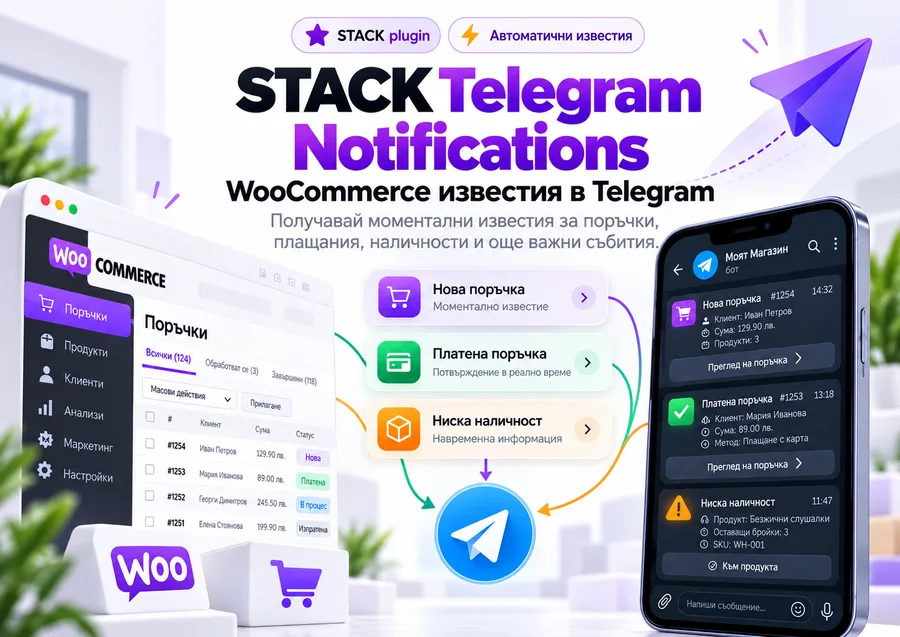
More about STACK Telegram Notifications
After installation, connect your Telegram account in a few clicks and choose which notifications to receive.
The plugin can notify you of: • new orders • paid orders • failed payments • cancelled orders • refunds • low stock • out-of-stock products • new customers • new reviews • daily reports
For new orders, receive essential information directly in Telegram: • order number • customer name • telephone and email • address • purchased products and variations • total • payment method • current status
Everything works in real time, so you do not need to keep checking WordPress administration.
STACK Telegram Notifications has its own WordPress panel for managing the connection, notifications and plugin settings.
The plugin uses the STACK.bg licensing system and supports automatic updates directly through WordPress.
Suitable for any WooCommerce store that wants to monitor orders, payments and stock quickly and conveniently from a phone.
Questions and answers.
How do I receive the plugin after payment?
After payment is confirmed, your licence and ZIP file appear in the Licences section of your account.
Can I try before I buy?
Yes. Most paid plugins offer a 48-hour trial for one website.
How do updates work?
Once the licence is activated, new versions appear directly in WordPress as standard updates.
Can I move my licence to another website?
Yes. Release an activated domain from your account and use the licence on another website within your plan's site limit.
Ready to use STACK Telegram Notifications?
Choose a licence for your site and manage access and updates in your account.